What Is WiFi?
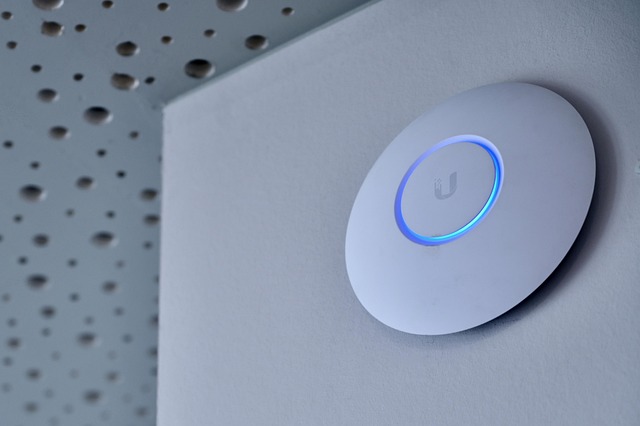
WiFi (Wireless Fidelity) is a set of radio communication standards that allow devices to exchange data without physical cables. It operates on the same principles as other radio‑frequency (RF) technologies, but it is specifically tuned for short‑range, high‑speed networking in homes, offices, and public spaces. When you turn on WiFi on a smartphone or laptop, the device searches for nearby access points (APs) that broadcast a network identifier called an SSID.
The Core Components
The main elements of a WiFi system are the router (or modem‑router combo) and the client devices. The router contains a radio transceiver that converts digital data into electromagnetic waves and vice versa. Antennas attached to the router send and receive these waves, while the router’s firmware manages traffic, assigns IP addresses, and enforces security protocols.
Signal Transmission and Frequencies
WiFi primarily uses two frequency bands: 2.4 GHz and 5 GHz. The 2.4 GHz band offers longer range but is more prone to interference from devices like microwaves and Bluetooth gadgets. The 5 GHz band provides faster data rates and less congestion, though its range is shorter. Modern WiFi (Wi‑Fi 6/6E and the upcoming Wi‑Fi 7) also taps into the 6 GHz spectrum, delivering even higher throughput and lower latency.
Security and Standards
WiFi security relies on encryption protocols such as WPA3, which protect data from eavesdropping and tampering. The IEEE 802.11 family defines the technical standards that dictate how devices communicate, from the original 802.11b (11 Mbps) to the latest 802.11be (Wi‑Fi 7) promising multi‑gigabit speeds. Each new standard improves modulation techniques, channel width, and spatial streams to boost performance.
Optimizing Your WiFi Experience
To get the best WiFi performance, place your router in a central, elevated location away from thick walls or metal objects. Use the 5 GHz band for bandwidth‑intensive tasks like streaming 4K video, and reserve the 2.4 GHz band for devices that need a wider coverage area. Updating firmware, enabling WPA3, and selecting a less‑congested channel can also reduce latency and increase reliability.
**
About Maria Santos
Practical knowledge enthusiast sharing everyday life hacks
Maria Santos has been contributing to eKnaw for over a year, focusing on practical solutions and life improvements through simple, actionable advice.



Join the Discussion
Comments (0)